Offline face forensics that keeps cases local.
Extract faces from images, video, and PDFs. Group them into “people.” Search your entire dataset — on your machine, with every face traceable back to its source frame. No cloud. No telemetry. No accounts.
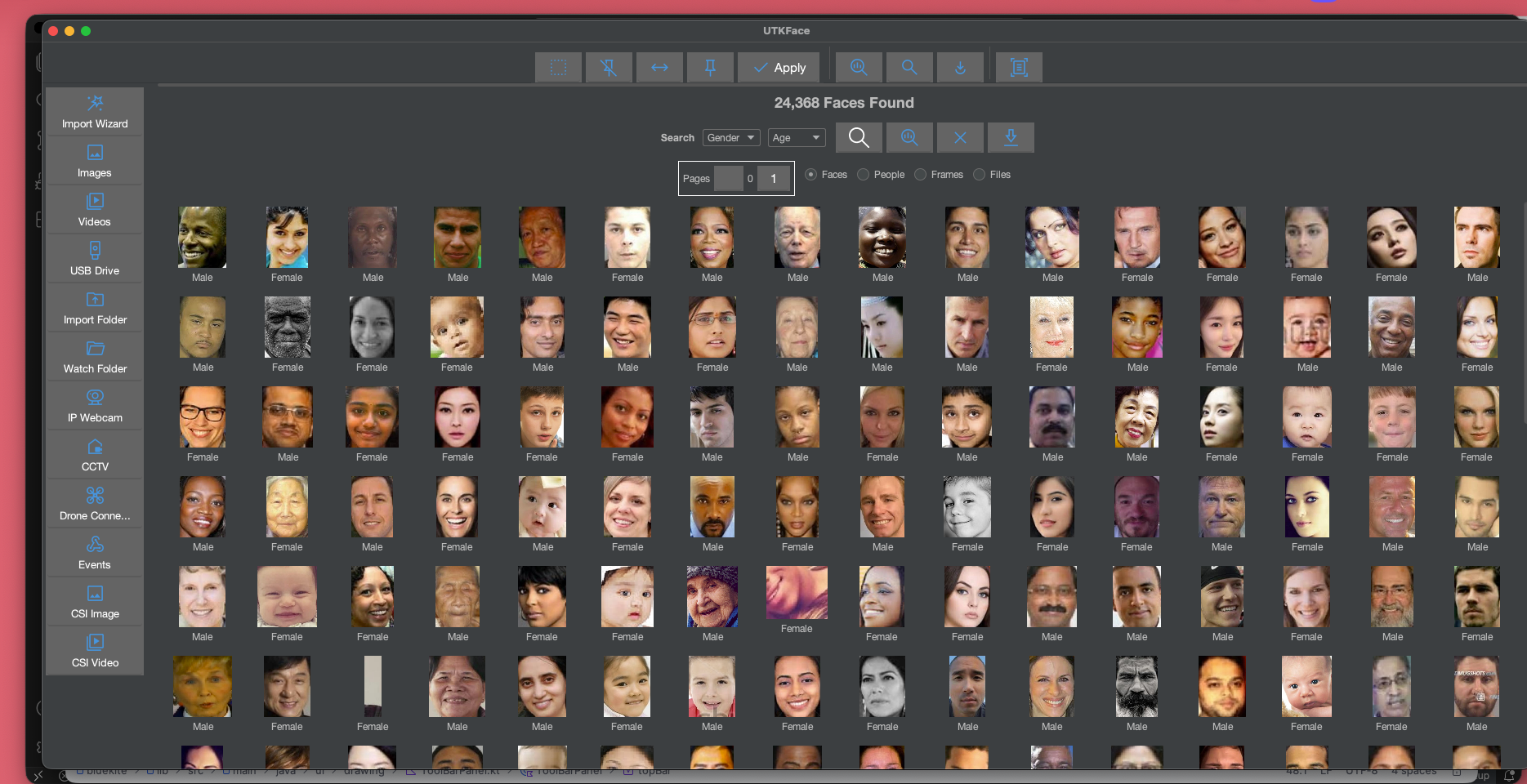
*From a public, non-destructive test bundle — a ~1M-file dataset processed entirely on consumer hardware. Read the case study.
Trusted in real-world workflows
Case media is fragmented. Review shouldn’t be.
Screenshots, device exports, social captures, and hour-long videos end up scattered across drives and threads. Manual face review at that scale is slow, inconsistent, and hard to document.
DawaImg keeps the work local and structured: ingest case media, extract and cluster faces into “people,” run similarity searches, and export results — while preserving provenance back to the original files and frames.
Get it in your head in a minute.
What it is
A desktop face-forensics & media organizer. Desktop app that runs entirely on your machine, built for large image, video, and PDF collections.
What you do
Import folders, extract & cluster faces into people, search locally, export with provenance, and generate case-ready outputs.
Evidence model
Non-destructive, immutable source records, frame/page-level provenance, and parent-child artifact linkage.
What it is not
No cloud processing or uploads. No live feeds. No preloaded face databases. Not an identity-verification tool.
Sources → faces → people → reports.
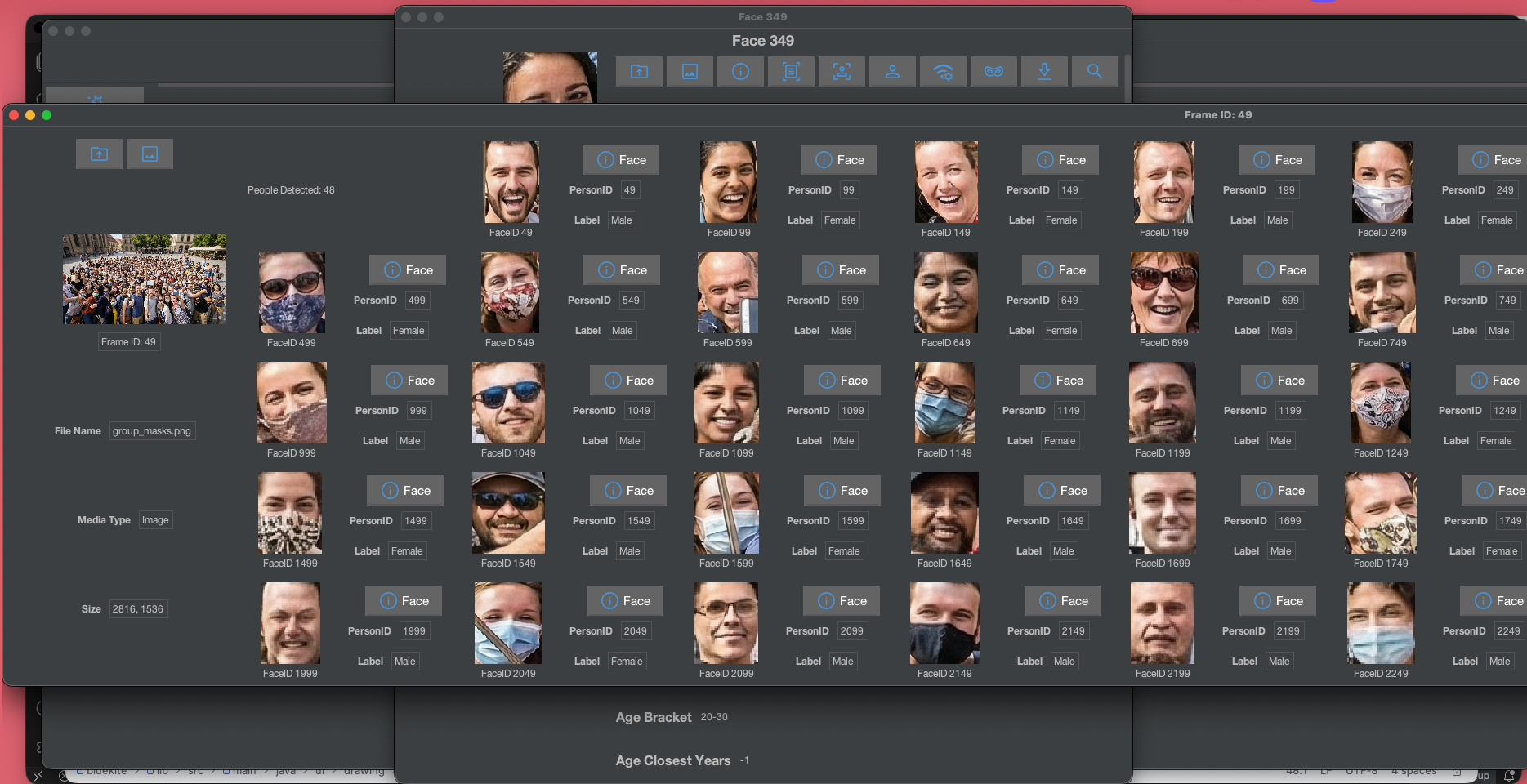
One pipeline, fully traceable. Every extracted face can be walked back to the source file, page, and frame it came from.
Sources
Folders, nested dirs, PDFs, web downloads, image files, video, captured CCTV.
Face Extraction
Detect → crop → normalize. Produces FaceRecords for every detected face.
Catalog
SourceRecord → FrameRecord → FaceRecord. Links back to origin.
Merge into People
Cluster similar faces across every source, labelling via PersonRecord.
Reporting
Exports, counts, timelines, and case summaries generated from people.
Built for case scale — not casual photo apps.
Extraction, organization, search, review, export, anonymization, and defensive research in one offline desktop app.
Extraction & organization
Extract faces from still images and video (frame analysis). Auto-cluster faces into distinct “people.” Organize across images, videos, and PDFs. Trace every face to its original frame/page and file.
Search, review & export
Similarity search with configurable thresholds. Video review with time-windowed counts & clusters. Exports for documentation and follow-up. Project-based organization keeps cases cleanly separated.
Privacy & anonymization
Face blurring for privacy and redaction use cases. Minor-redaction options on exports. Ship outputs that protect subjects without losing the analytic context.
Detection labs
Evaluate the robustness and failure modes of face detectors. Run A/B-style evaluations on your own datasets, offline.
Defensive research
Design and evaluate face masks that reduce detectability or recognizability. Understand how detection systems actually fail.
Scale without limits
Parallel processing, chunked frame extraction, and disk-based caches bring multi-million-file folders into practical range on consumer-grade hardware.
Chain-of-custody thinking, built in.
Every face DawaImg produces is a record, not a copy. Records link back to sources. Originals are never modified. The result is a traceable audit trail — the kind investigators need to defend their findings.
- Non-destructive processing. Originals untouched.
- Immutable source & frame records.
- Face → frame → resource → source linkage.
- Reproducible within the same project.
- Structured record hierarchy.
- No identity claims, only groupings.
Source
Created at ingestion. Documents origin of imported data (folder, drive, share, URL).
Resource
One per file. Metadata, hash hints, and processing events.
Frame / Page
Per extracted image, video frame, or PDF page. The unit of review.
Face
One per detected face. Links back to parent frame. Clusters into a Person.
Everything a case can throw at you.
Images
.webp.bmp.png.jpg.jpeg.pbm.pgm.ppm.tif.tiffScreenshots, camera photos, device exports, OSINT captures.
Video
.mov.mp4.avi.wmv.tsFrame extraction at review-time. Post-capture only.
Documents
.pdfEmbedded-image review and page-level extraction.
Folders & drives
Nested directories, USB & external drives, internal SSDs.
Shares & mounts
Network shares, mapped or mounted remote storage.
Web archives
Downloaded web images and page captures (post-capture review).
Where DawaImg actually does the work.
Post-capture, privacy-sensitive, high-volume investigation and documentation — not surveillance, not identity verification.
One million PDFs. ~98% face detection recall. On a laptop-class machine.
DawaImg ingested a ~1,000,000-file public disclosure bundle, extracted ~2,000 faces, and logged only two false positives (wood textures). Non-destructive. Offline. Reproducible.
Used by the people who work in the dark.
I have a case with a wall of screenshots. DawaImg turns that wall into a small list of people I can actually talk to my partner about.
When a document drop releases 80k PDFs, I need faces grouped by person in 48 hours. This is the only tool that fits.
The provenance chain is what sold me. Every face I export walks back to the exact frame it came from. That’s the difference between a screenshot and evidence.
Questions we get every day.
Yes. Free to use, no subscription, no license, no activation, no accounts. The full build is downloadable for both Windows and macOS from this site.
No. There are no cloud services, no telemetry, no network dependency. Everything runs locally on your machine.
No. DawaImg makes no identity claims and ships with no face databases. “People” are software-generated groupings of similar faces in your own dataset.
Provenance. DawaImg links every face back to its source file, page, or frame through a structured record chain — the difference between “faces” and defensible evidence.
Yes. DawaImg requires no internet connection to install, run, or update.
Free. Offline. No accounts. No cloud.
Install DawaImg on Windows or macOS and start reviewing on your own machine in under a minute.